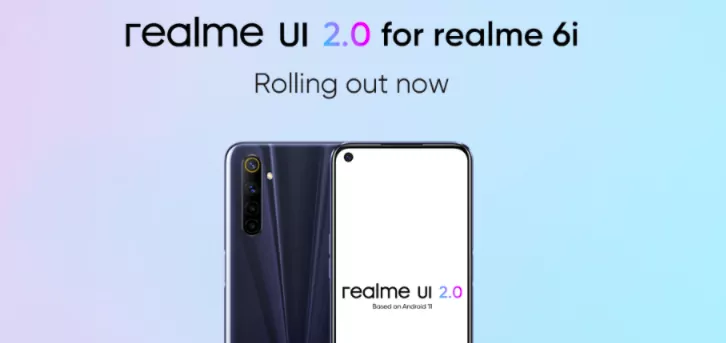
Realme just released a new major update for Realme 6i. It is showing the official stable Android 11-based Realme UI 2.0 update, it also comes with an August 2021 security patch.
The latest Realme UI 2.0 stable update comes on build number RMX2001_11_C.12.
Realme 6i Android 11 based Realme UI 2.0 comes with new features such as System Cloner, Quick Return Bubble, Enhanced Dark Mode, New App Drawer, Third-party Icon Support, Redesigned Notification Panel, Revamped Always-On display, Improved Game Space, and more. This role out is released in batches and will soon reach others.
Realme 6i September update news c12
Released on: 2nd September 2021
Update Details
Device: Realme 6i
Android: Android 11
Realme UI: Realme UI 2.0
Update type: Stable | Beta
Update size: 3GB | 170 MB
Build number: RMX2001_11_C.12
New Features:
Personalizations
Personalize the user interface to make it your own
You can now create your own wallpaper by picking colors from your photos.
Third-party icons for apps on the home screen are now supported.
Three Dark mode styles are available: Enhanced, medium and gentle; wallpapers and icons can be adjusted to Dark mode; and the display contrast can be adjusted automatically to ambient light.
High Efficiency
You can now drag text, images or files out of a floating window or from one app to another app in Split screen mode.
Optimized the editing page of Smart Sidebar: Two tabs are displayed and the order of items can be customized.
System
Added "Tone tunes": Consecutive notification tones will be linked to form a single melody.
Added weather animations to provide you with a more interesting experience.
Optimized vibration effects for text input and gameplay.
Optimized "Auto brightness".
Launcher
You can now remove a folder or combine it with another one.
Added filters for "Drawer mode": You can now filter apps by name, install time or usage frequency to find an app more quickly.
Security and Privacy
You can now turn "App lock" on or off in Quick Settings.
Added "Low battery message": When your phone battery is lower than 15%, you can quickly send a message to share your location with specified contacts.
More powerful SOS functions Emergency info: You can quickly display your personal emergency info to first responders. The information can be shown even when your screen is locked.
Optimized "Permission manager": You can now choose "Allow only once" for sensitive permissions to better protect your privacy.
Games
Added Immersive mode which reduces disturbances while gaming so you can stay focused.
You can change the Game Assistant call-up method.
Communications
You can share your personal hotspot with others via a QR code.
Photos
Optimized the photo editing feature with upgraded algorithms and more markup effects and filters.
HeyTap Cloud
You can back up your photos, documents, system settings, WeChat data and more, and easily migrate to a new phone.
You can select the types of data to be backed up or restored.
Camera
Added the inertial zoom feature which makes zooming smoother during video shooting.
Added the level and grid feature to help you compose videos.
Realme Lab
Added Sleep Capsule for you to restrict your phone use for better rest and sleep.
Accessibility
Added "Sound amplifier": You can amplify faint sounds and soften loud sounds when wearing earphones.
How long did Realme take for the update?
Android OS
Update
Release Date/Status
Estimated Months
Android 10
Out-of-the-box
March 2020
Nil
Android 11
First OS update
Open Beta
Soon
Android 12
Second/Last OS update
Eligible
Unconfirmed
Roadmap of Android OS update (Realme 6i)
How long will it get updates?
The Realme 6i was released with an Android 10 in March 2020. Therefore, Android 11 will be its first major OS update.
Hence, it is eligible for the upcoming Android 12 update and it will be its second/last major OS update.
Out-of-the-box>>> Android 10
First update>>> Android 11 [Stable]
Second update>>> Android 12 [Eligible] [Last update][Unconfirmed]
Once the update is available on your device, you can head over to Settings >> About Phone >> Software Update section to update your Realme device with the latest Beta update.
How To Check Software Update On Any Realme Smartphone?
Open Settings.
Scroll Down and Find Software Update; Tap On It.
And If There Would any Update available it will appear there.
Then Hit Download and this is how you can check Software Update on any Realme Smartphone.