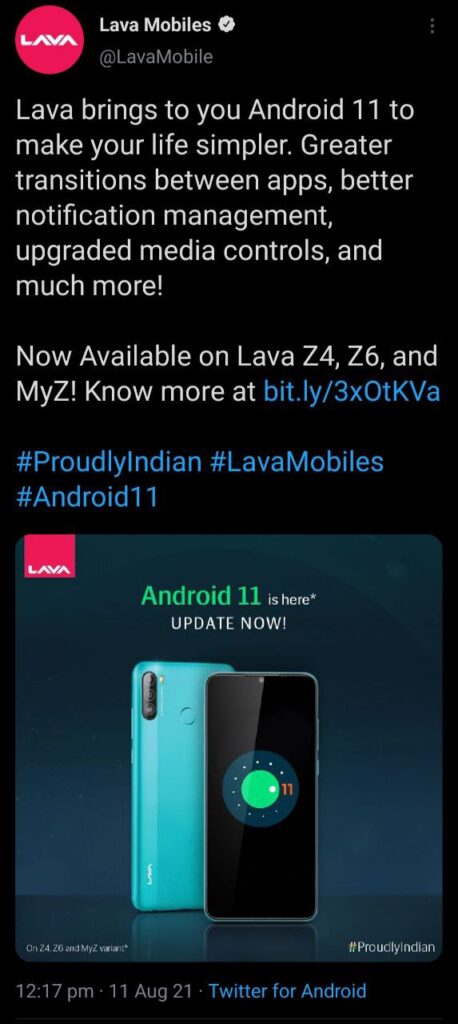
Much to the rejoice of users and Indian OEM supporters, Lava has finally released the Android 11 Update for the Lava Z4, Lava Z6 and Lava MyZ as promised.
Lava, an Indian OEM, promised the Android 11 Updates for four of their devices last month. The four devices were the Lava Z2/ Z4/ Z6/ MyZ triple camera variants. Although the release date for the last three devices was supposed to be 25th July 2021, it did no harm in being released in August 2021.
The Lava Z2 Android 11 Update will be released soon, as per Lava.
The news of the Lava devices' Android 11 Update was shared by the official Twitter account and the replies of the Lava users were positive.
The Lava Z4, Lava Z6 and Lava MyZ were released in January 2021 with an Android 10 out-of-the-box.
Update Details
Devices: Lava Z4, Lava Z6 and Lava MyZ
Android: Android 11
Update type: Major update
Promised release date: 25th July 2021 | 11 August 2021 Roll out begins
Official Changelog
Managing Conversation & notifications
In Android 10, the notification drawer contains all your notifications in a seemingly-haphazard list. Certain apps tend to get prioritized and shot to the top of the list, but there doesn't appear to be any specific reason why. Meanwhile, lower-priority notifications get moved down to the silent section, which doesn't send out any alerts. In Android 11, that system changes. There are now three notification categories: Conversations, Alerting, and Silent.
The Conversations section, houses all your conversations meaning any app where you are directly communicating with someone else, including text messages and chats within other apps. You can also prioritize conversations and apps within this section. This would allow you to give a higher priority to messages from a specific person. These priority notifications appear on your lock screen as well ensuring that you never miss notifications related to your important daily interactions.
The Alerting and Silent sections act as they have before in Android 10. You can also easily silence notifications from certain apps, which would push all future notifications to the Silent section.
Built in Screen recorder
This just gives you an additional easy access to recording anything being done on the screen. So now a user doesn't need to download an app specifically for this.
Media controls
If you are playing music on your Android 10 phone, a music player appears at the top of your notifications drawer. With Android 11, that section of the drawer is now reserved for conversations, so the media player has been moved to the Quick Settings section. When you swipe down your notification drawer, the media controller will be pretty small. It will show you the app it's related to, cover art, basic controls, and on which system the media is playing. If you pull down again on the drawer, the alert expands and shows the information you see in the image above. This will make it incredibly easy to switch from your phone speaker to your Bluetooth headphones, for example.
If you don't want the player up there anymore? You can swipe it away just like you used to. You can also tweak Android 11's settings so that the player automatically vanishes when you have stopped listening to music.
User Privacy: One time permission and auto-reset
This is very important when it comes to privacy of the users. This will give users more control over their privacy. In android 10, it asks a user permission only when they first install an app. But in this case, it asks you permission before every session. It depends on the user is they want to give permission every time separately or for all times. If the user uses the first option, the permission gets revoked as soon as that app is closed. So the user's data is always safe.
Chat bubbles
It is something like Facebook messenger, where a chat head appears on the phone that comes on top of any other app being used at that time. It is a quick way to access user's messages and remove them when not needed.
Tools that predict what a user want
Smart reply: The phone devices replies to be sent for a text on the basis of your usage.
Smart folders: This is for a user to organize their apps in folders like Work, Fitness, Food, Games etc.
Camera
3P Performance optimizations: The phone's camera works even better on 3rd party photo sharing apps like Snapchat and Instagram.
Notification history
This feature is to restore any swiped notifications that might have been swiped by mistake. You can check those notifications received in the last 24 hours. But this feature is not ON by default and has to be done so by following the below mentioned path Settings > Apps & notifications > Notifications > Notification history.
Dark mode scheduling
After the simplistic Dark mode in Android 10, this time android gives an option to schedule it as per your requirement. Users can schedule the dark theme using one of two different metrics:
Users can schedule a dark theme to turn on or off when the sun sets or rises.
Users can also set up a custom schedule for dark mode activation if you wish.
Digital wellbeing
Bedtime mode: Bedtime mode quiets your phone when it's time to go to sleep. Schedule it to run automatically or while your phone charges as you rest. Your screen switches to Greyscale and your notifications go silent with Do Not Disturb.
Clock: The new bedtime feature in Clock helps you set a healthy sleep schedule. Track screen time at night and fall asleep to calming sounds. Then wake up to your favorite song. Or use the Sunrise Alarm that slowly brightens your screen to start the day.
The official changelog is as per the Lava Android 11 post for the Lava Z4, Lava Z6 and Lava MyZ.
How to update your Lava device with the latest Android 11 Update?
The Lava Android 11 Update for the Lava Z4, Lava Z6 and Lava MyZ is currently being rolled out in batches reportedly. If you're a Lava Z4, Z6 or MyZ user, you'll receive the update soon.
Once the update is available on your device, you can head over to Settings >> About Phone >> Software Update section to update your Lava Z4, Z6 or MyZ with the Android 11 Update.