Try our newly launched: Marketing Services
On 18th August 2021, OnePlus officially rolled out the OnePlus 8T OxygenOS Update with the device getting the OxygenOS 11.0.10.10 and 11.0.9.9 depending on regions along with the August 2021 Android Security Patch Update.
The latest OxygenOS 11 update has brought the new Bitmoji AOD feature which will place your Snapchat Bitmoji on the AOD (Always On Display) screen. The update has fixed some known issues and has also optimized the system performance.
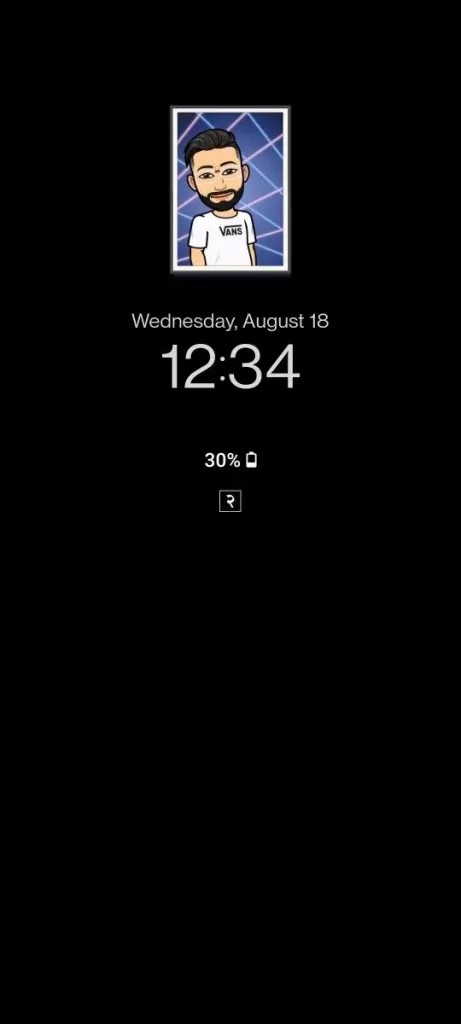
Credits: Rijjal007
Similar to the OnePlus Nord CE 5G OxygenOS 11.0.5.5 update and the OnePlus 9R OxygenOS 11.2.4.4 Update, this OnePlus 8T Software Update is also incremental. Therefore, it will have a broader rollout soon.
The official statement from the OnePlus was, “Hey everyone, we are starting to push the incremental rollout of a new OxygenOS update for the OnePlus 8T in the EU region now, IN and NA regions will soon follow”.
Hence, the OnePlus 8T Software update is being rolled out in Europe right now. India and North America will soon receive the update.
The OnePlus 8T was released in October 2020 with an Android 11 out-of-the-box.

Source: OnePlus Community
Along with the OxygenOS update, the device’s security has been upgraded with the August 2021 Android Security Patch.
The OnePlus 8T has an Android 11 OS out-of-the-box. Therefore, it is eligible for three major OS updates.
The OnePlus 8T will receive three years of major OS updates and four years of Security updates.
Android 14 will probably be the last major OS update on the device, And Android 12 will be its first major OS update.
Check your device>>> OnePlus Android 12 update list
The OnePlus 8T Software Update with OxygenOS 11.0.10.10 or 11.0.9.9 is currently rolling out in Europe. But, it is soon expected to expand to other regions soon.
Once the update is available on your device, you can head over to Settings >> About Phone >> Software Update section to update your OnePlus device with the latest update.
For more OnePlus Android updates please download our android app – available on the Play Store